Product education · Instructional content

Make complex tools easier to understand, use, and trust.

I design learning experiences, documentation, and instructional media that preserve technical accuracy while reducing the effort it takes people to understand what matters and act on it.

Product education Instructional design Technical communication Learning systems
A working process for turning specialist knowledge into useful guidance
01UnderstandWhat is the real intent?
02StructureWhat must come first?
03ExplainWhat language earns clarity?
04PracticeWhat decision should they make?
05VerifyWhat evidence shows it worked?

The medium can change—documentation, lesson, video, workshop, or facilitator guide—but the sequence stays grounded in the audience’s next useful decision.

RoleLearning designer, educator, and product-content consultant
ContextsCreative software, music technology, and higher education
DeliveryDocumentation, courses, presentations, video, and live training
AudiencesCreators, instructors, students, and product users
The approach

Preserve the intention. Remove the unnecessary effort.

Good instructional content does more than simplify. It identifies what the product, process, or idea is trying to accomplish, then gives the audience enough context to make sound decisions of their own. Word choice, sequence, examples, and shifts in register are design decisions—not decoration added at the end.

Case 01Product education · Immersive audio

Making an unfamiliar audio product easier to understand

Project: Virtual Sonics / Audio Futures — product education for WalkMix Creator

Professional product ecosystem

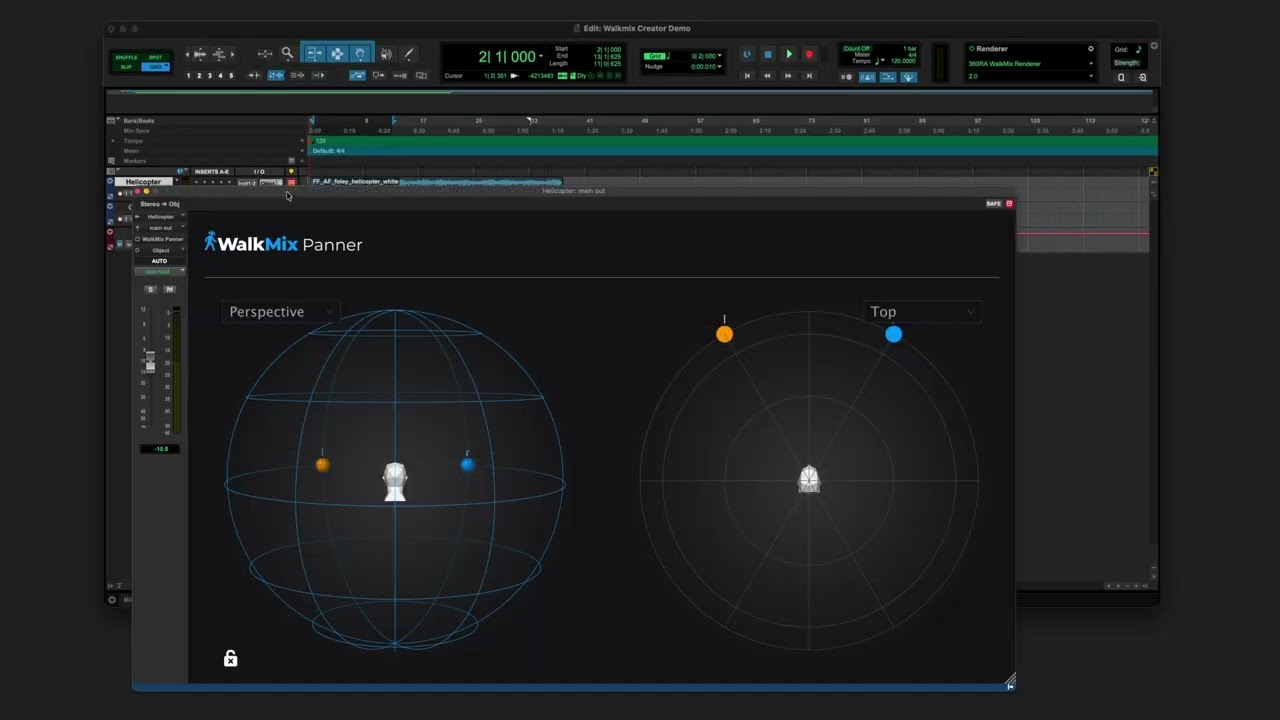
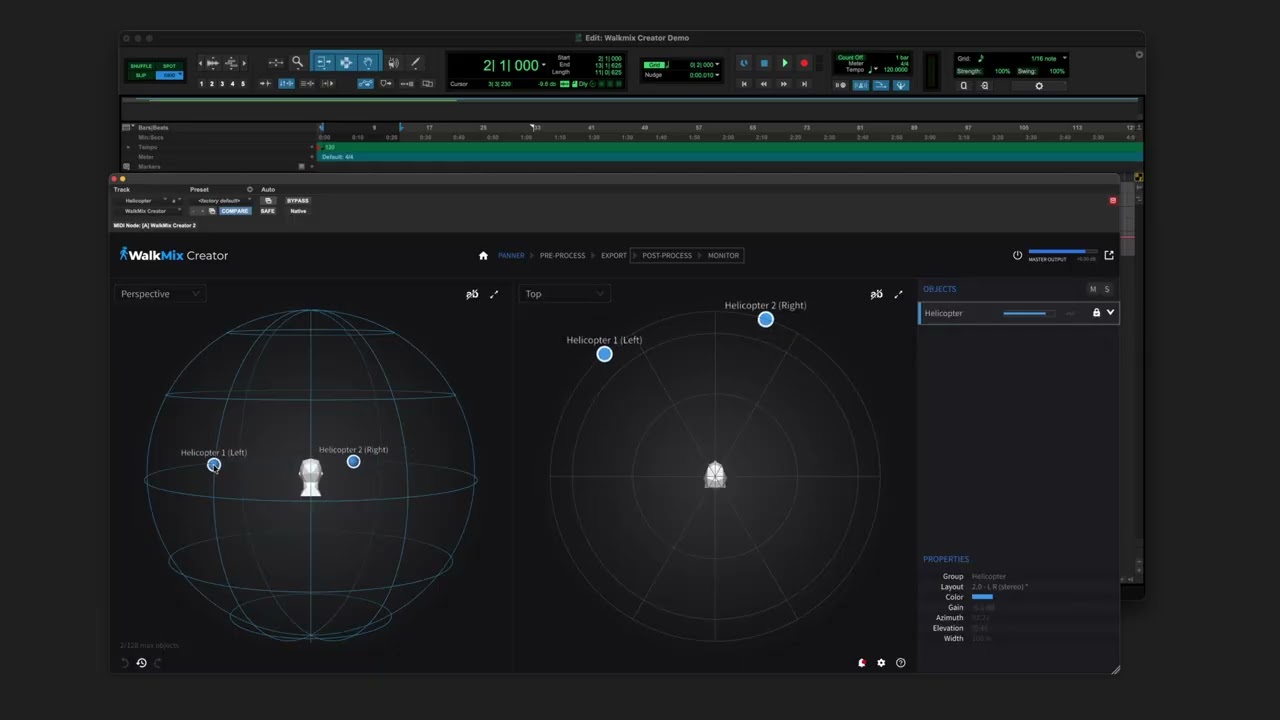
WalkMix Creator is Audio Futures’ immersive-production software for creating music in Sony’s 360 Reality Audio format. Avid Pro Tools Studio and Ultimate now include a limited version of its panner and renderer, bringing the WalkMix workflow directly into professional Pro Tools sessions.

The communication problem

The technology was unfamiliar before the explanation even began

Immersive-audio language can ask a listener to absorb a new product, a new listening model, and specialist terminology at once. The work began by identifying what each audience already understood—and what could wait.

The content decision

Organize around actions and listening decisions

Extended conversations with the product team clarified the product’s direction. The educational material then sequenced concepts around what a person needed to notice, understand, and do, with terminology introduced only when it became useful.

The delivery

Instruction that could move between audiences

The work included instructional-video development, recording, editing, and technical communication. The explanation could begin with an accessible listening question, then increase in technical detail without changing the underlying intent.

Published instructional work

Original instructional videos produced for the WalkMix Creator project, covering both the wider creation workflow and its integration with Avid Pro Tools.

Inspect the reasoning

One product. Three starting points.

Representative instructional example based on the documented project context—not the original client deliverable
Listener

Begin with what changes in the listening experience and what to notice.

Creator

Connect the listening result to the choices available while preparing and evaluating material.

Technical

Introduce implementation language only after the purpose and workflow are already clear.

Representative instructional excerpt

Start with the listening question, not the spatial-audio vocabulary. Give the user one result to notice, then introduce only the control or concept needed to understand that result. Add the implementation detail after the listener has a reference point.

Case 02Scalable learning · Music production

Building a learning product around judgment, not memorization

Project: Soft Synced

The learning problem

Tutorials can show a move without teaching when to use it

The product was structured to help producers reason through choices: what matters in the track, how context changes an answer, and how to evaluate the result with their own ears.

The architecture

Thirty lessons across a connected system

Three sequential modules move from creative intention and learning habits through technical foundations to complete beat-making. Focused app lessons, deeper portal guides, and a workbook support attention, explanation, and reflection.

The editorial boundary

AI accelerates the first pass; a person owns the meaning

An n8n-assisted workflow evaluates topic demand and supports research and drafting. Every piece is reviewed for technical accuracy, unsupported certainty, tone, and whether it addresses the learner’s actual decision before publication.

Inspect the system

Learning across three modes

Product structure and excerpts reflect the published Soft Synced learning system
30focused lessons across three sequential modules
Webcompanion guides where the deeper reasoning lives
Printworkbook prompts that make decisions visible over time
01Evaluate

Check whether a topic addresses a real learner question.

02Research & draft

Use the assisted workflow to compare sources and produce a first pass.

03Review

Correct oversimplification, unsupported certainty, and missing context.

04Reframe

Shape the explanation around the decision the producer must make.

05Approve

Publish only after subject-matter and editorial judgment.

Top-down draft

Hardware gives you hands-on control; software gives you flexibility. Choose the format that best fits your workflow.

Socratic revision

When does touching a control change the decision you make? When does recalling a setup help—or interrupt—the idea? Which limitation helps you commit?

Published course excerpt

“The wrong turns stay in. The revisions stay in. You are developing creative judgment, not copying technique.”

Case 03Program enablement · Higher education

Turning fragmented knowledge into systems people could use

Project: Los Angeles Film School — Music Production

The operating context

Learning content, people, and systems had to stay aligned

The role combined daily LMS administration, course and content revision, enrollment and permissions, completion reporting, faculty leadership, and a program serving more than 300 learners each month.

The enablement system

Onboarding continued beyond the presentation

A structured process connected decks and takeaway materials with readiness checks, classroom shadowing, one-to-one development, group training, and follow-up. The goal was reliable judgment in practice—not attendance at a meeting.

The feedback loop

Training priorities came from evidence

Classroom observation, learner outcomes, qualitative feedback, completion data, and Power BI reporting helped reveal where people or content needed support. Practices developed within the program were later adopted by other academic programs.


Inspect the system

Faculty readiness as a continuing loop

Sanitized workflow reconstruction; no student, faculty-performance, or confidential institutional data
10instructors led as direct reports
300+learners served across the program each month
DailyLMS, course, permission, and reporting operations
01Orient

Deck, program context, expectations, and a takeaway guide for later reference.

02Check readiness

Use questions and scenarios to reveal what is understood and what still needs support.

03Shadow

Connect policy and pedagogy to the real pace and decisions of a classroom.

04Develop

Use group sessions and one-to-one coaching to address specific instructional needs.

05Observe

Review classroom practice, learner behavior, and outcomes rather than relying on completion alone.

06Revise

Update training, course content, and operating guidance when the evidence identifies friction.

Sanitized facilitator prompt

A learner can complete the task but cannot explain why the choice worked. What would you ask next? Which part belongs in immediate feedback, and which should become a revision to the lesson itself?

Working principles

Clarity is designed through sequence, context, and revision.

01

Start with intent

Determine what the audience needs to understand or accomplish before deciding what content to create.

02

Reduce cognitive load

Remove ambiguity, unnecessary terminology, and sequencing that forces the audience to reconstruct the explanation.

03

Make judgment visible

Explain why a decision changes with context instead of presenting conditional guidance as a universal rule.

04

Test the experience

Use observation, feedback, completion data, and learner behavior to identify what needs revision.

05

Keep a human accountable

Use AI to accelerate research, comparison, and drafting, but retain human responsibility for accuracy, voice, and meaning.

Capabilities

From product knowledge to an experience people can use.

Product educationInstructional designTechnical writingCurriculum architectureLMS operationsFaculty & trainer enablementAsynchronous learningWorkshop facilitationEditorial reviewAI-assisted content workflowsLearning analyticsCreative-production technology
Have something complex to explain?

Let’s make it clear without flattening what makes it valuable.

I work with creative and technical teams to turn specialist knowledge into guidance people can understand, trust, and use.

Discuss a project
AMB Music · West Hollywood, CAMusic · Sound · Systems